Reseller guide
IPTV Reseller Customer Handover Checklist: What to Send After a Sale
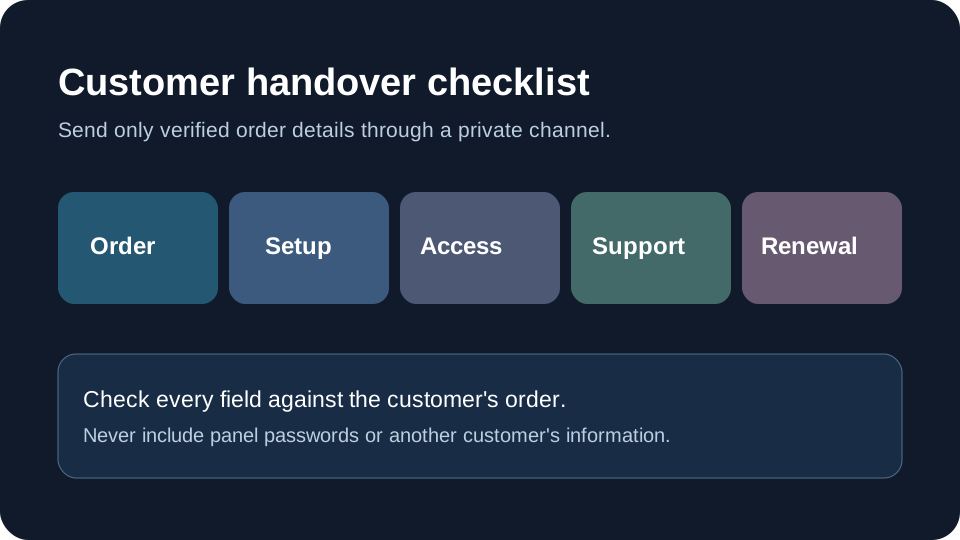
The sale is not finished when a panel shows a new line. A customer still needs a clear record of what was ordered, how to use it on an approved device, how to get help and what happens at renewal. This checklist is a template for your own documented process. It does not claim that any supplier authorises a particular channel, territory, app or resale arrangement.
Commercial disclosure: this site promotes reseller offers. Confirm the supplier's current written terms and your right to offer the service before accepting an order. Never send a customer a promise that your supplier has not put in writing.
Confirm the order before creating access
Record the purchased plan name, start and end dates, price and currency, number of permitted simultaneous connections, relevant device support, and any trial or renewal conditions. Compare the order with the supplier's written terms. A device on which an app can be installed is not automatically an extra concurrent stream. If the customer requested a feature you cannot confirm, resolve that question before sending access details.
Keep the order ID and the version of the terms the customer accepted. Your private operations record can include the panel transaction reference, but the customer-facing message should contain only what the customer needs. Do not paste supplier panel credentials or another customer's information into it.
Send setup instructions for the actual device
Ask which device and player the customer will use, then send the permitted setup method for that combination. A Fire TV instruction is not a universal instruction for Roku, Apple TV or a smart TV. State where to obtain the app from its official or approved source, what account fields the customer must enter, and what to do if the screen differs from your guide. Do not promise that an app is available in every store or country.
If you provide a download link, check it immediately before delivery and explain who publishes the app. Avoid presenting a third-party player as your own product. Tell the customer how to identify the correct app and how to contact support without publishing login details in a public comment or screenshot.
Deliver credentials privately
Use the delivery method you promised and minimise the amount of information sent. Send only the customer's own access details, not your reseller panel login. Prefer an individual message over a shared document or group chat. If the platform offers a secure first-login reset, explain it. Do not ask the customer to send an existing personal password back to you. Keep any private credentials out of analytics events, public URLs, support forums and screenshots.
Before sending, check that the destination address belongs to the buyer. A mistaken recipient can expose access even if the technical setup works. Maintain a simple correction process for a wrong address or expired link. When a customer asks for help, request the device model, error wording and approximate time first; ask for account information only through the private support method required to diagnose the issue.
Include support and renewal details
State the support channel and hours you actually provide, including time zone. Say which issues you handle and when you will ask the supplier to investigate. Do not promise 24-hour support if you cannot provide it. Explain the renewal date, whether renewal is automatic or requires a new order, how the customer can cancel, and where the current written terms can be reviewed. For trials, state the end time and any conversion to a paid plan before the customer signs up.
Keep a record of the customer's question and the answer sent. An unsupported verbal assurance about refunds or channel availability can cause a dispute later. Use the exact policy that applies to the order and date. The FTC consumer guide to trials and automatic renewals explains why clear trial and cancellation terms matter; it does not evaluate a particular IPTV offer.
A copyable handover template
Use the fields below as a starting point. Fill them only with verified order details; delete any field that does not apply.
| Field | What to send |
|---|---|
| Order | Plan name, order reference, purchase date and currency |
| Access period | Start date, end date and time zone |
| Connections | Written simultaneous-connection allowance |
| Setup | Approved app source and instructions for the customer's device |
| Support | Private contact method, stated hours and expected escalation route |
| Renewal | Next decision date, applicable terms and cancellation route |
This is a blank operational template, not a supplier's policy. Check every populated field against the supplier offer and the customer's order. Never publish a filled version with personal details.
Check the handover before closing the ticket
Ask the customer to confirm that the message arrived and that they can reach the sign-in screen. If a trial or setup test is permitted, record what happened on the customer's named device without claiming the outcome proves long-term quality. Keep a short support record with the date, the problem and the next step. For a repeat problem, use the same reference so the customer does not have to explain the entire history again.
Our panel trial checklist helps you test the supplier side before purchasing credits, while the cost-per-customer worksheet helps budget the support time this handover requires. If you are considering an offer promoted on this site, review its reseller trial terms and current pricing directly before committing.
Frequently asked questions
Should I give a customer my reseller panel login?
No. Deliver only the customer's own access details through a private channel. Keep the panel account separate from customer credentials.
Does device compatibility mean unlimited simultaneous streams?
No. The written connection allowance is separate from the list of devices on which a player can be installed.
What should a trial handover say?
State the actual start and end time, eligible device, applicable limitations, support route and whether any payment or cancellation action is required. Verify those terms before sending.
What if a customer cannot sign in?
Record the device, player, error text and approximate time, then use the private support route. Avoid asking them to publish credentials in screenshots or comments.