Reseller guide
How to Use an IPTV Reseller Panel: Every Button, in Plain English
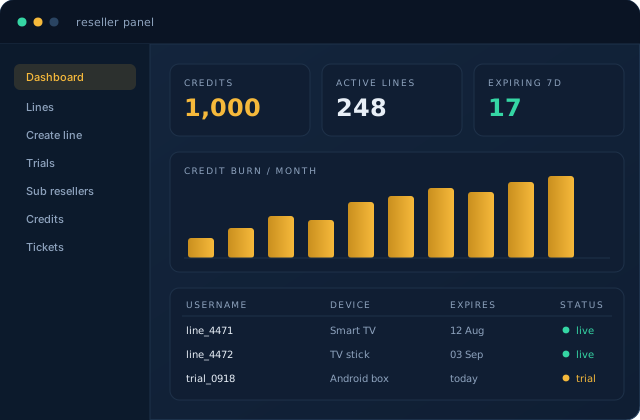
The panel intimidates people for about ten minutes, then becomes boring. That is the goal. Here is what each part does.
Credit balance
Top of the screen, one number. It goes down when you create or extend a line, and up when you buy more. Nothing else touches it. If it drops unexpectedly, check your sub-resellers before you open a ticket.
Creating a line
A line is one customer's login. You fill in:
- Username and password — auto-generate them. Custom usernames look professional and cost you time when customers mistype them.
- Package — the duration. One month costs one credit, three months cost three, and so on.
- Connections — how many devices can watch at once. Two is the sane default for a household; sell three as an upgrade.
- Notes — put the customer's real name and phone here. In eight months you will not remember who
user_9182is.
Press create, and the panel returns the credentials plus a playlist URL. That is what you send the customer.
Trial lines
Short lines, usually a few hours, that cost nothing or almost nothing. Use them for every prospect, without exception. A trial that fails on the customer's device saves you a refund and a bad review. Do not let a customer skip the trial because they are in a hurry.
Extending vs recreating
When a customer renews, extend the existing line. Do not create a new one. Extending keeps their credentials the same, which means no reinstallation, no support message, no chance of them re-evaluating whether they want to continue.
Sub resellers
Included on every package. You create an account for another seller, set the credit price they pay you, and their line creation draws from your balance. Two things to get right:
- Set the price above your own cost, obviously — but also high enough that you are paid for the support you will end up doing for their customers.
- Cap their balance. Give them credits in blocks rather than an open tap.
Bulk creation
Upload a list, get a batch of lines. Useful when you migrate customers from another provider. The trap is generating 200 lines that start counting down immediately while your customers migrate over two weeks. Create in small batches as people actually switch.
Line status and troubleshooting
The line list shows active connections and last activity. Before you escalate anything:
- Line shows offline — the customer has not opened the app, or entered the details wrong. Ask them to read the username back to you.
- Line shows more connections than allowed — they shared it. This is the most common cause of "it keeps stopping."
- Everything buffers on one device only — device or local network, not the line. Test the same login on your phone over mobile data.
Escalate with the username, the device, the time it happened, and what you already tested. Tickets with those four things get solved in one reply.